Before Creating Your First Game, Read This Construct 3 Review – Construct 3 has become one of the most beginner-friendly game engines available today. Developed by Scirra, it focuses on making game development accessible through a visual event system that requires little to no programming experience. Whether you’re building a simple mobile game or a polished 2D adventure, Construct 3 provides a streamlined workflow that helps developers turn ideas into playable games quickly.
In this Before Creating Your First Game, Read This Construct 3 Review, we’ll examine its features, advantages, and whether it’s the right engine for your first game development project.
Easy-to-Use Interface
One of Construct 3’s greatest strengths is its intuitive interface. The editor is clean, organized, and designed to minimize the learning curve for new developers. Instead of spending hours learning programming syntax, users can drag and drop objects while building game logic visually.
This beginner-friendly design allows creators to focus on gameplay, level design, and creativity rather than debugging complicated code. Even developers with no previous experience can begin building playable prototypes within a short period.
Powerful Event System
Construct 3 replaces traditional programming with an event-based system. Developers create gameplay by combining conditions and actions, making it possible to build surprisingly complex mechanics without writing code.
The visual event sheets are easy to understand while remaining powerful enough to support platformers, puzzle games, shooters, RPGs, and other 2D genres. As projects become larger, the structured event system also helps keep development organized and manageable.
Cross-Platform Development
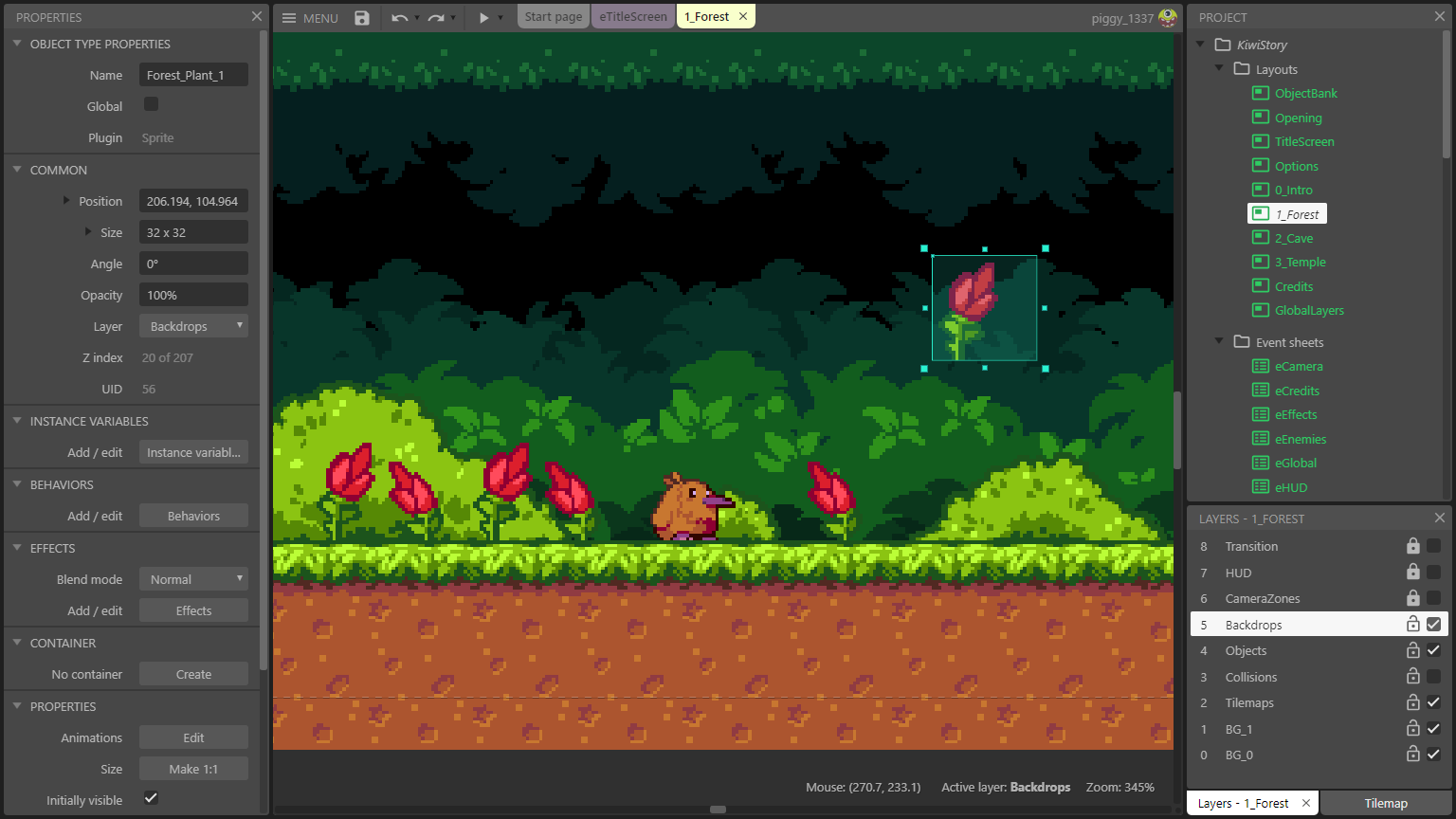
Image: apps.microsoft.com
One of Construct 3’s biggest advantages is its ability to export games across multiple platforms. Developers can publish projects for Windows, macOS, Android, iOS, HTML5, and other supported platforms from a single project.
This flexibility is especially valuable for indie developers targeting both desktop and mobile audiences. Instead of rebuilding the game for different devices, Construct 3 handles much of the platform-specific optimization behind the scenes.
Asset Library and Collaboration
Construct 3 includes an extensive collection of built-in assets, making rapid prototyping much faster. Developers can also import custom sprites, animations, sound effects, and music to personalize their projects as development progresses.
For teams, Construct 3 offers real-time collaboration features that allow multiple developers to work on the same project simultaneously. This cloud-based workflow improves productivity and simplifies remote game development.
Performance and Learning Resources

Image: construct.net
Despite its simplicity, Construct 3 includes several performance optimization tools that help developers monitor frame rates, memory usage, and rendering performance. These built-in tools make it easier to create smooth experiences, particularly for mobile devices where optimization is essential.
Construct 3 also provides excellent documentation, official tutorials, and an active community. Beginners can quickly find step-by-step guides, while experienced developers can access advanced techniques and plugins to enhance their projects.
How Does Construct 3 Compare?
Compared to a GameMaker 2 Review, Construct 3 offers an even more visual approach to development by relying almost entirely on its event system instead of scripting. GameMaker provides greater flexibility through GameMaker Language (GML), while Construct 3 focuses on speed and accessibility.
Meanwhile, an Unreal Engine 4 Review typically highlights advanced 3D graphics and AAA-level development tools. Construct 3 takes the opposite approach by prioritizing lightweight 2D development and ease of use, making it a much better choice for first-time developers.
Final Verdict
This Before Creating Your First Game, Read This Construct 3 Review demonstrates why Construct 3 remains one of the best engines for beginners. Its intuitive interface, visual event system, cross-platform support, built-in optimization tools, and collaborative features make game development accessible without sacrificing flexibility.
If you regularly read games reviews or compare engines through an Unreal Engine 4 Review and a GameMaker 2 Review, you’ll quickly notice that Construct 3 occupies a unique position. It isn’t designed to compete with advanced AAA engines—instead, it excels at helping new developers create polished 2D games quickly and efficiently. For anyone creating their very first game, Construct 3 is an excellent place to start – Before Creating Your First Game, Read This Construct 3 Review